
Don’t Go To China Without These Apps
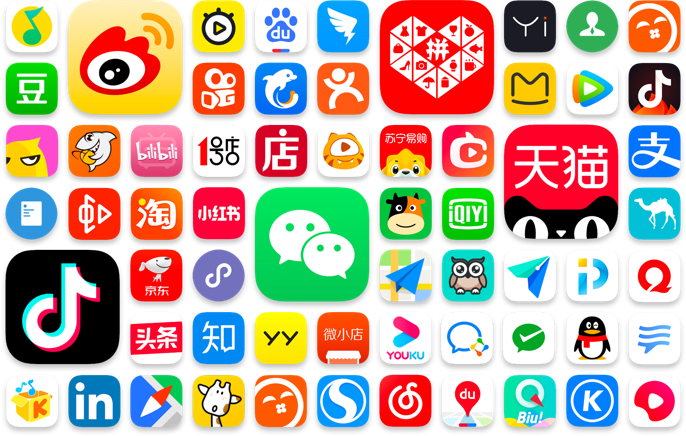
China is a world unto itself. This is what makes it an incredible place to visit, and also what can make it quite intimidating for most first time visitors. Most of us are used to opening up Google Maps to figure out where to go, Instagram to find out what not to miss out on, and Uber to get from A to B. Problem is, not one of these apps works in China. Luckily you have us to help you demystify this place, and help you prepare for a trip to China.
Before we dive into the essential China apps, there’s a couple of important points we should cover.
First, make sure you set this all up before your trip. Once you’re on a Chinese network, some of them may no longer be available due to geographic restrictions. You may also lose access to a lot of things thanks to the Great Firewall, which restricts access to many sites and services in China. This includes the apps we mentioned before, plus anything from Google or Meta, websites like Wikipedia and the New York Times, and much more.
A lot of these Chinese apps may also require a local phone number to register and access full functionality. That doesn’t always mean you need to register, as you often get enough access as a guest, but we’ve made sure to note if a Chinese number is required. Registration is almost always done by phone, as China’s email adoption rates are surprisingly low, especially for personal use.
With that housekeeping out of the way, let’s break down some of the most useful Chinese apps you’re going to want when you go to China. It may seem like a lot, but once you’re embedded into the Chinese digital ecosystem, you’re going to go back home wishing things run as smoothly as they do in China.
How Can I Plan My Trip?

This app is going to be your best friend when planning a trip in China. It’s the Chinese version of sites like Agoda or TripAdvisor, with everything from hotels to trains, flights, tours and more. Create an account, download the app, and get planning.
What’s a Superapp?
Before we dive into specific apps and services, we need to introduce the concept of a Superapp. This is one app that combines multiple services through embedded interfaces, even if those services are completely unrelated. Two of the first things you’re going to want to download are Superapps - WeChat and Alipay.
To draw a parallel, imagine you open up Instagram, and on your profile you also have options to access Google Maps, Venmo, X, Uber, Booking.com and a dozen other things, all without ever leaving Instagram. The New York Times actually put together an amazing video introducing this (and a lot more) in just 6 minutes.
Instead of searching for a website or downloading an app, most businesses in China will have their own mini program in a Superapp, so this is your access point to most of the information you’ll need over there.
How Can I Pay For Things in China?

China is probably the closest thing on Earth you’ll find to a cashless society. Cash is still accepted in some small shops and restaurants, so make sure to have a bit handy, but most places you go will only accept QR code payment. Larger establishments will likely also accept credit card, although they may not accept foreign credit cards. So first you’ll want to set up those two Superapps to pay for everything. This handy guide walks you through setting both of them up, and there’s no harm in having both just in case you meet the odd vendor who only accepts one of the two.

WeChat - WeChat started out as a messaging app, but now it rolls nearly every aspect of daily life into one. Before going to China, set up a WeChat account and also make sure to set up a WeChat Pay account. Without WeChat, you’re going to find a trip to China very difficult.

Alipay - Alipay started out for payment, and it’s also now nearly rolled every aspect of daily life into one app.
It’s important to note a couple things about payments through these apps as a foreigner:
The only way you’ll be able to use the payment functionality is by loading in your credit card. Each transaction will come off your credit card so we also advise looking into a credit card with no foreign transaction fees. In the app it will also display a digital wallet. However it’s not possible to load money into a wallet from a foreign credit card so don’t worry about that!
As you get more “off the eaten track”, not all vendors will be set up to accept payments from foreign WeChat Pay or Alipay accounts. You generally shouldn’t have a problem, but there may be some smaller shops or restaurants that can’t. This is when that cash will come in handy.
Both of these apps charge foreign transaction fees of about 3% on payments over 200 RMB, so if you want to save on the fee, check with the vendor if you can use cash, credit card, or break it up into multiple smaller payments.
How Can I Find My Way Around?
Most of us are very used to opening up Google Maps to figure out where we need to go, but that’s not going to work in China. Thanks to the Great Firewall, all Google services are blocked. If you’re using a VPN you’ll be able to access Google Maps, but it’s not going to be very helpful. Most locations on Google Maps are probably wrong, you can’t trust the navigation, and it’s very hit or miss with the English vs Chinese input. Instead, check out some of these options.

Amap - This is going to be your best bet for maps in China. The app has an English interface, you can use it as a guest or login with a foreign phone number, and it’s going to help with location and navigation. If you want to use it on the computer, create an account on your phone first, and then you’ll be able to scan the QR code on the computer to log in. Just note that in guest mode you won’t be able to save places.

Baidu Maps- Baidu Maps is also very helpful for navigation and finding your location, but you need a Chinese number to log in and access functionality like saving things. It also doesn’t have an English interface, but can accept English inputs.

Apple Maps - Apple users will still be able to access Apple Maps without restriction.
How Can I Get Where I Need To Go?
Whether it’s short distance or long distance, you’ll be making use of China’s extensive (and impressive) transport network.

Didi - this is the top ride hailing app in China, and is already in use in many places around the world. If you’re already using this at home, though, it’s not going to work in China. To access Didi in China, you’ll need to access it through WeChat or Alipay. On WeChat, go to “Me” and then “Pay and Services.” On Alipay, you may see it on your home screen, or you can select the travel tab to find it.
Trip - For longer trips by train or plane, Trip will be the easiest thing to use. It’s important to note that you can only book trains 15 days before departure, but Trip has a waitlist option to try and pre-book. Trip is also embedded into Alipay, but not attached to your normal Trip account if you have one.
WeChat - WeChat also has embedded mini-programs for travel, which you can find under Me -> Pay and Services.

Railway 12306 - This is the official app from China Railway, where you can book train tickets. It allows you to create an account using your passport (which is also going to become your ticket), and it has an English interface.
For more info and tips on detailed train bookings, make sure to check out our guide to Train Travel in China.
Flights can be booked through your favourite booking channel from back home, directly with airlines, or through Trip.com and mini programs.
How Do I Find Things to Do and Eat?

Red Note (小红书) - Also known as Xiaohongshu, this is China’s version of Instagram, which gained notoriety in 2025 when TikTok was almost banned. It’s easy to set up an account and has a good English interface, but most content is in Chinese.

Douyin (抖音) - The original TikTok, Douyin is a great tool to find what’s trending and where to go. You can log in with a foreign number, but need a Chinese ID for full account verification, and most content is in Chinese. It also allows for purchases and you can sometimes get deals in the app.

Dianping (大众点评) - China’s equivalent of Yelp, come here to find ratings for pretty much anything, but we mostly use it to find food. You can make reservations, and there are often deals you can purchase in app. It has an English interface, but most content (including things like cuisine categories and opening hours) stay in Chinese. You can log into the Dianping app with your WeChat account, although with inconsistent results. If you aren’t logged in, you won’t be able to search. Dianping results also show up on Baidu Maps, so if you’re just looking for ratings, searching on Baidu can help you find out what’s good.

Meituan (美团) - this one started as a food delivery app, but it’s turned into much more. Now, it’s closer to Dianping, with reviews for everything from restaurants to tourist sites. You can also buy tickets to attractions on here, and there are often deals available at restaurants through Meituan.

Ele.me (饿了么) - This is a food delivery apps, which has English versions and allow account creation with a foreign number. It’s my go to whenever I want to order in, and unlike Uber Eats and other services back home, it’s fast and the delivery fees are low.
Can I Buy Stuff Online?
You sure can! In fact, buying stuff online is one of the best things about China. You can get anything you can imagine, you very often get same day delivery, and they’ll take it straight to your hotel where either the front desk will hold it for you, or a robot will bring it to your room. Same with your delivery food.

Taobao - You can get anything on Taobao. Over the years, it’s evolved from the Wild West of Chinese fakes and dubious quality to the go-to online shopping platform in China. Anything you want, check Taobao. If you see something you like while you’re out shopping but don’t want to carry it home, try using the amazingly accurate image search and it could get delivered before you get home! It has an English interface, some shops ship internationally, and you can even access it directly through an Alipay mini program.

JD - A more upscale marketplace, JD started out focused on technology and now covers a wide range of products. It can be a bit more premium than Taobao, and quality can also be more reliable. This one also has a mini program on WeChat, but no English version, which is where translation apps can come in very handy.
What's AI Like in China?
Just like Google and Meta, most AI tools you're used to are blocked in China. ChatGPT, Gemini and Claude won't work here, so if you want to try AI while you're travelling, you'll need to look at Chinese alternatives.

Doubao (豆包) - This is ByteDance's AI app (the company behind TikTok), and it's been a gamechanger for a lot of our guests. You can use it for live translation and conversation, and it's free. What surprised us most is the image and video generation, which is excellent. It’s so good, that some of our guests have even kept using it long after they've flown home.

DeepSeek - You've probably already heard of this one. It's a Chinese AI chatbot that made global headlines in early 2025 for matching apps like ChatGPT at a fraction of the cost. It's strong for writing, editing and general questions, and it's free to use.
What Do I Do If I Can’t Read Anything or Understand Anyone?
There’s a few really useful apps you can use for translation. We’ve already covered DouBao in the AI section above. If you have a VPN or an international eSIM, you should be able to use Google Translate, both the app and the camera translation function. On an iPhone, you can use the Translate function on the camera as well. Here are a few more options to choose from.

Baidu Translate - This one works really well for voice, text and image translation, with no need for a VPN.

Pleco - This is one of the most popular Chinese dictionary apps with Chinese language learners, and it has a camera translation function that works live instead of via picture. For full functionality, you’ll need a paid subscription.
Alipay - There’s a built-in translation function in Alipay, which allows for photo translation, typing, and text to speech translations.
This is just the tip of the iceberg. The Chinese digital landscape is vast, and things change very quickly. While these should cover your basic necessities during a short trip, If you’re looking for anything specific make sure to Google it in advance and download and set up any necessary apps before you go to China.
Frequently Asked Questions
-
Yes, absolutely. Once you're on a Chinese network, app stores have geographic restrictions and you may not be able to download them. If you’re on Android, you won’t be able to access the Google Play Store. Set everything up before you leave, including linking your credit cards.
-
China is almost entirely cashless. While cash is technically accepted, most places strongly prefer QR code payments through WeChat Pay or Alipay, so set these up before your trip.
-
Both are superapps for payments and services, but WeChat is essential for communication while Alipay is particularly strong for transport. Get both set up, as some vendors only accept one or the other.
-
Not for the essential ones. WeChat, Alipay, Trip.com, Amap, and Xiaohongshu all work with international phone numbers, though apps like Dianping and Baidu Maps require Chinese numbers for full functionality.
-
No. Google Maps is blocked and doesn't work properly even with a VPN. Use Amap (English interface) or Baidu Maps instead, or Apple Maps if you're on iOS. These restrictions apply to all Google and Meta products and services.
-
Maybe. VPNs exist in a legal grey area and many are blocked or unreliable. If you want one, download and set it up before arriving, but don't rely on it for essential services.